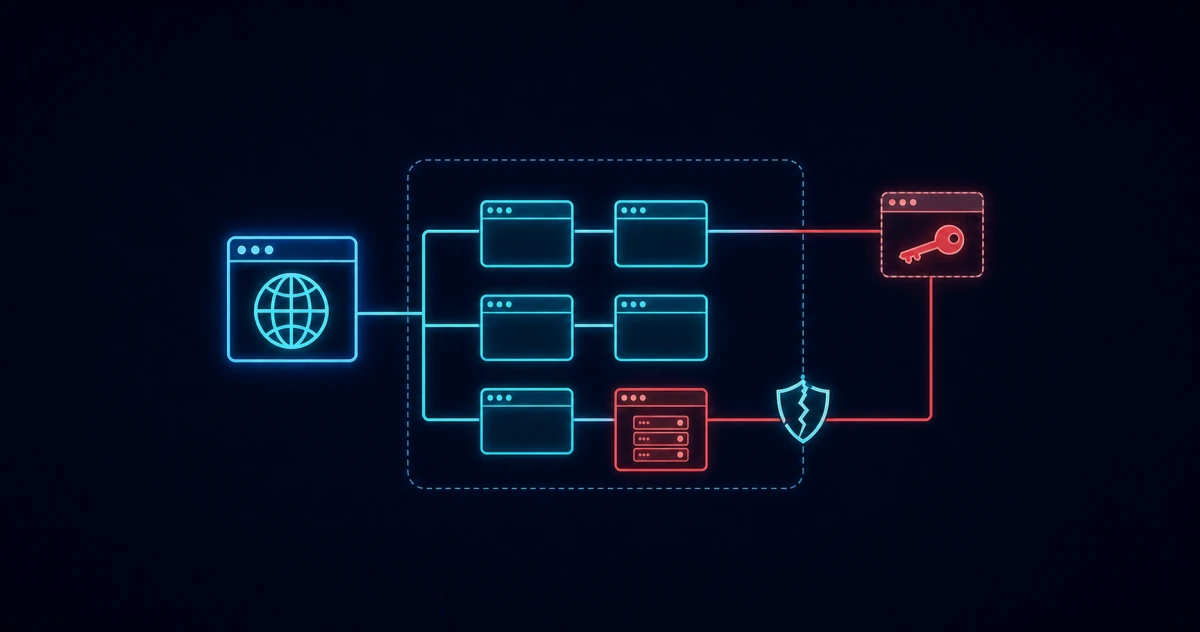

On 16 November, people visiting Zoom, the BBC, CNN or KLM loaded malicious code. None of those websites had to be breached for it to happen.
The Optimizely hack is a supply chain attack. Attackers changed code inside Web Experimentation, Optimizely's website testing tool, and every site loading that code served the change to its visitors. If your website runs third-party scripts, the same path exists for you.
What happened in the Optimizely hack?
Attackers added their own JavaScript to the custom code of Web Experimentation customer projects on 16 November 2026. Optimizely serves each customer's code from its own content delivery network (CDN), so the malicious code came from a source the sites trusted. Report URI found it.
Web Experimentation is a marketing tool from Optimizely that companies use to raise website conversion through A/B testing and personalisation. A team can, for example, show visitors two versions of a page to see which converts better. Each customer adds a small JavaScript snippet to its pages, and changes made in Optimizely's dashboard reach every visitor through that snippet.
Report URI checked 1,611 Optimizely snippets and found 188 infected ones belonging to 178 organisations. It expects the real number to be higher. The affected organisations span banking, retail, media, travel and healthcare, with European names including ABN AMRO, KLM, Transavia, Vaillant and Heineken.
The earliest injection Report URI observed was at 04:21 UTC on 16 November, and all infected snippets were clean by 23:11 UTC. BleepingComputer independently confirmed that the malicious script loaded, or attempted to load, on sites including Zoom, GitLab, CNN and Salesforce.
The injected script targeted the sites' visitors, on any device. According to Report URI, it did four things:
- Crypto theft: it swapped cryptocurrency wallet addresses on the page, and in copied text, for the attacker's own.
- Card skimming: it captured card details typed into a site's own form fields. It could not directly read card fields inside payment-provider frames such as Stripe or Adyen.
- Data theft: it sent page screenshots and some browser cookies to the attacker.
- Phone exploits: it loaded exploit kits on older iPhones and iPads.
Report URI counted about $7,150 in crypto received by the attacker's wallets. It cannot see how many cards, cookies or devices were affected, so that figure is not a total of the damage.
Report URI traced the money to an address the attacker also used to cash out earlier operations, in March and on 3 November 2026.
What vulnerability did the attackers use?
Optimizely says the attackers exploited a vulnerability in its Experimentation account signup flow. In a statement to BleepingComputer, the company said:
"Earlier today, Optimizely identified a security incident in which an unauthorized party exploited a vulnerability in the Experimentation account signup flow. They used it to add malicious JavaScript to some customer projects."
Optimizely also says it blocked the vulnerable path, deployed a fix, removed the injected code, ended active sessions, revoked tokens and notified affected customers. No CVE (Common Vulnerabilities and Exposures) identifier has been published, which is common for flaws in hosted services.
Several affected companies responded within a day, according to Reuters:
- Salesforce disabled Optimizely scripts as a precaution.
- Equifax stopped using the platform and said it had found no evidence of compromise to its systems.
- IKEA said it was investigating.
Reuters could not immediately determine whether the malicious code had been used successfully on each site.
But two questions remain open as of 17 November. Nobody has explained how a signup flaw gave write access to other customers' existing projects, or how long the flaw existed.
Report URI also links the same attacker to an earlier wave from 13 to 16 November. That wave went through other third-party scripts, including Kissmetrics, StorifyMe and Minute Media.
Were you affected, and what should you do?
Your website was affected if its Web Experimentation snippet carried the injected code on 16 November. Using Optimizely does not by itself mean you served the code, and serving it does not prove visitors were harmed. A clean snippet today proves nothing about 16 November, because the code has since been removed.
If your website uses Optimizely
Optimizely says it has notified all affected customers. Whether or not you received a notice, work through these steps with marketing, your website agency and whoever owns the Optimizely account:
- Contain: confirm the injected code is gone from every project and that no new custom code has appeared. Report URI saw one customer's code re-infected after a clean-up, so check more than once. If you cannot confirm it, pause the snippet.
- Preserve evidence: save copies of the affected code, its timestamps and change history, plus your own logs before they roll over. Start this during containment.
- Scope: work out which pages loaded the snippet, when, and whether they held card, login or wallet fields. A search hit for the attacker's domain is a lead to investigate. It does not prove harm.
- Secure access: review every user, API token and integration with write access to the account, and rotate credentials.
- Invalidate what was exposed: rotate session tokens and secrets that a script on those pages could read. Treat cards typed into your own form fields on affected pages during the exposure window as potentially exposed.
- Verify and record: check the live snippet again after each change, and record affected pages, the exposure window, containment and verification.
Assess your reporting duties at the same time as the clean-up, because the deadlines run from when you become aware. The GDPR and NIS2 section below sets out when they apply.
If you visited an affected site
Update your iPhone or iPad to iOS 18.7.3 or 26.3 or later, the versions the exploit kit's own code lists as patched. Check any crypto transfer you made on 16 November against the address you meant to pay. If you paid by card on an affected site, watch your statements.
What does the Optimizely hack show about supply chain attacks?
A supply chain attack is an attack on a supplier that reaches the supplier's customers through something they already trust. In the Optimizely hack, that trusted thing was a script. The affected organisations did not need to be breached, because a script in a web page can read and change that page.
"Trusted JavaScript doesn't always remain trustworthy. A website can be compromised through a third-party dependency without its own code or infrastructure ever being breached."
The EU Agency for Cybersecurity (ENISA) sees this pattern growing. Its Threat Landscape 2026 notes that organisations keep adding third-party services. As they do, ENISA expects attackers' chances "to achieve broader impact through a single compromise" to increase.
Our summary of the ENISA Threat Landscape 2026 covers the wider findings.
Why most Content Security Policies did not stop it
A Content Security Policy (CSP) is a header that tells browsers which sources a page may load scripts from and send data to. A strict policy could have blocked parts of this attack. Allowing Optimizely's domain did not help, because the malicious code arrived from that domain.
A troubling detail in Report URI's analysis is that, of the affected organisations whose policy it checked, 68 had no Content Security Policy at all. Another 50 had policies so permissive that they would have let the malicious script load and run. By Report URI's evaluation after the event, only 24 had a policy that would have blocked it.
In our view, payment processors should require an effective CSP before they let merchants handle payments directly on their own websites. CSP has been a web standard for over a decade.
Could a third-party script do this to your website?
Yes, if your website loads code from a third party, which is common for business websites. Analytics, A/B testing, tag managers, chat widgets, consent banners and ad scripts run with the same access to the page as your own code. The Optimizely hack needed no flaw in the affected websites, only one in a tool they loaded.
Four questions show how exposed you are:
- Which third-party scripts does each site load? Include campaign microsites and sites an agency runs for you.
- Which of those tools can change the code your visitors receive? Testing and tag-management tools usually can, through a dashboard.
- Who owns each tool, and who has write access? Marketing often holds these accounts, which works as long as someone keeps track of them.
- How fast could you switch one off? Know where each snippet is installed and who can remove it.
A tag that an agency added years ago, which nobody in IT knows about, is shadow IT. An approved vendor is not, but it still belongs in the inventory of your external attack surface. Strong sign-in controls on these accounts help, although they would not have stopped a flaw on Optimizely's side.
Do you have to report it under GDPR or NIS2?
You may have to report it if the script exposed personal data or disrupted your services. Under GDPR, skimmed card details, stolen cookies or screenshots of a logged-in page can amount to a personal data breach. Under NIS2, reporting applies only to entities in scope and only to significant incidents.
GDPR. If you control the affected data, Article 33 of the GDPR requires you to notify your data protection authority without undue delay. Where feasible, that means within 72 hours of becoming aware of the breach, unless it is unlikely to result in a risk to people. Article 34 adds a separate duty to tell affected people directly when the risk to them is high.
NIS2. Article 23 of NIS2 requires essential and important entities to send an early warning within 24 hours of becoming aware of a significant incident. It goes to your CSIRT (national computer security incident response team) or competent authority (the national regulator that supervises you). An incident notification follows within 72 hours and a final report within one month, under your national rules.
Article 21 of NIS2 sets a separate duty. It requires entities in scope to address supply chain security, including their relationships with direct suppliers and service providers. Our NIS2 compliance guide covers both articles in more detail.
What a website scan can and cannot show
A website scan can show whether your pages send a Content Security Policy header at all. It cannot show whether a trusted script changed overnight, and it does not watch what runs in your visitors' browsers. Treat a missing CSP as a gap to close.
Our web scans flag pages that lack a Content Security Policy, along with other missing security headers, and re-check each finding before reporting it. Like any vulnerability scan, ours reads what your site serves at the moment of the scan. Still, a policy being present does not prove it would block an attack like this one, because that depends on how strict it is.
Read-only access · Working scan data deleted after each scan · EU-hosted
Frequently asked questions
Was I infected if I visited one of the affected sites?
Not necessarily, because the risk depends on what you did on an affected page on 16 November. The script targeted crypto transfers, card details typed into the site's own forms and some cookies. On older iPhones and iPads it also tried to load exploit kits, so update to iOS 18.7.3 or 26.3 or later.
Is Optimizely safe to use now?
Optimizely says it fixed the vulnerability, removed the injected code and added protections against unauthorised code delivery. Report URI observed all infected files clean from 23:11 UTC on 16 November. As of 17 November, the incident is still listed as Monitoring with the cause unexplained, so keep reviewing your account access.
What is a JavaScript supply chain attack?
A JavaScript supply chain attack changes a third-party script that websites load. Every site using that script then serves the attacker's code, even when its own servers stay untouched. The Optimizely hack follows this pattern, and a strict Content Security Policy is one of the few controls that limits it.